Reference analyzer · VST3 · AU

NopeRef Spectrum view NopeRef Low End view NopeRef Scope view NopeRef Balance view NopeRef Dynamics view NopeRef Stereo view NopeRef Loudness view NopeRef Diff view
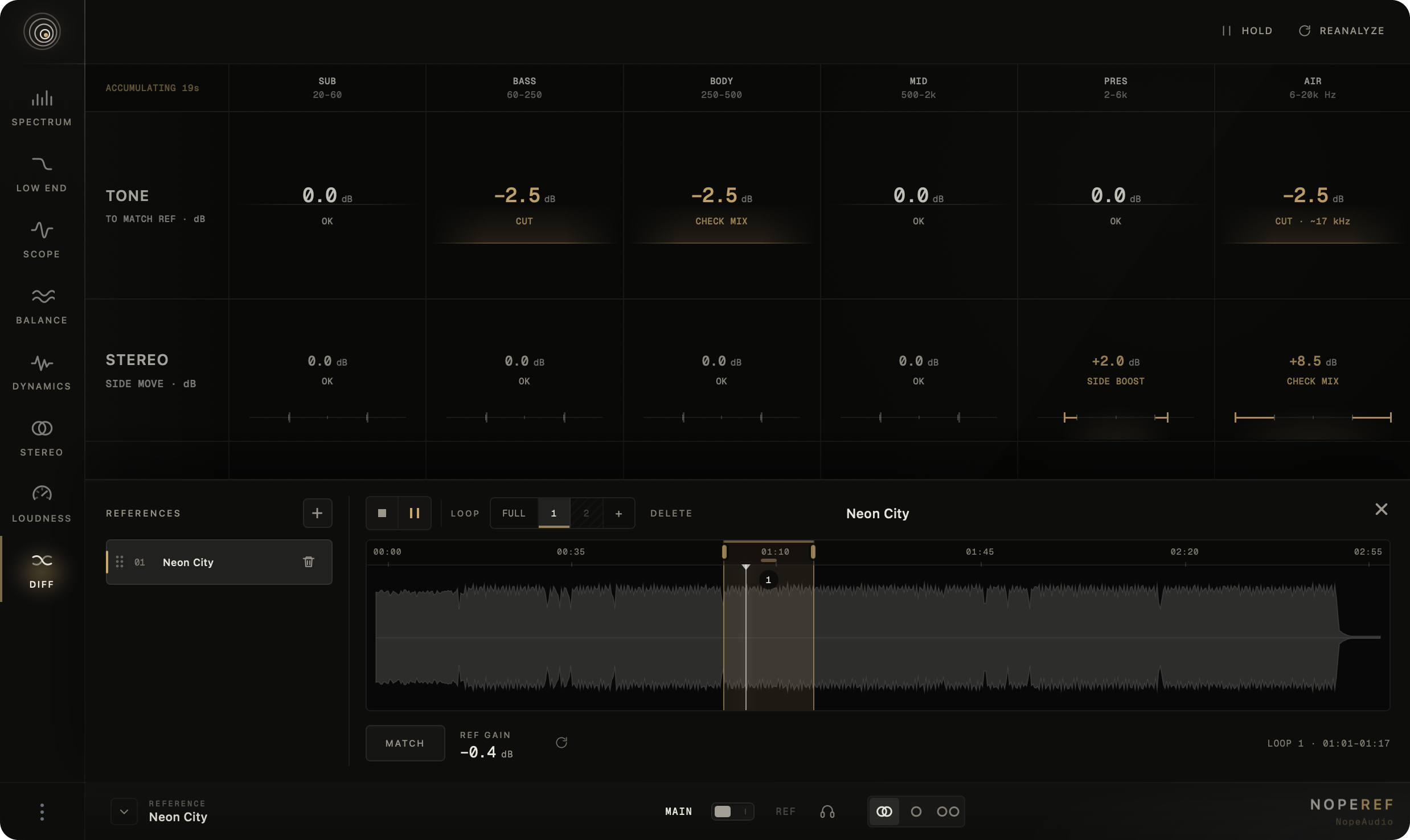
Reference workflow

Your reference, in the same window as your mix.

Loop a comparable section, match its level and A/B it with your mix in stereo, mono or side.

  1. 01
    Drop in a track

    WAV · AIFF · FLAC · MP3 · M4A · OGG

  2. 02
    Choose a section

    Up to six loops per track

  3. 03
    Match the level

    Compare tone, not loudness

NopeRef reference library with waveform, loop selection and level matching controls

01 / 08Compare frequency balance in detail and solo any band to check it by ear.

Spectrum
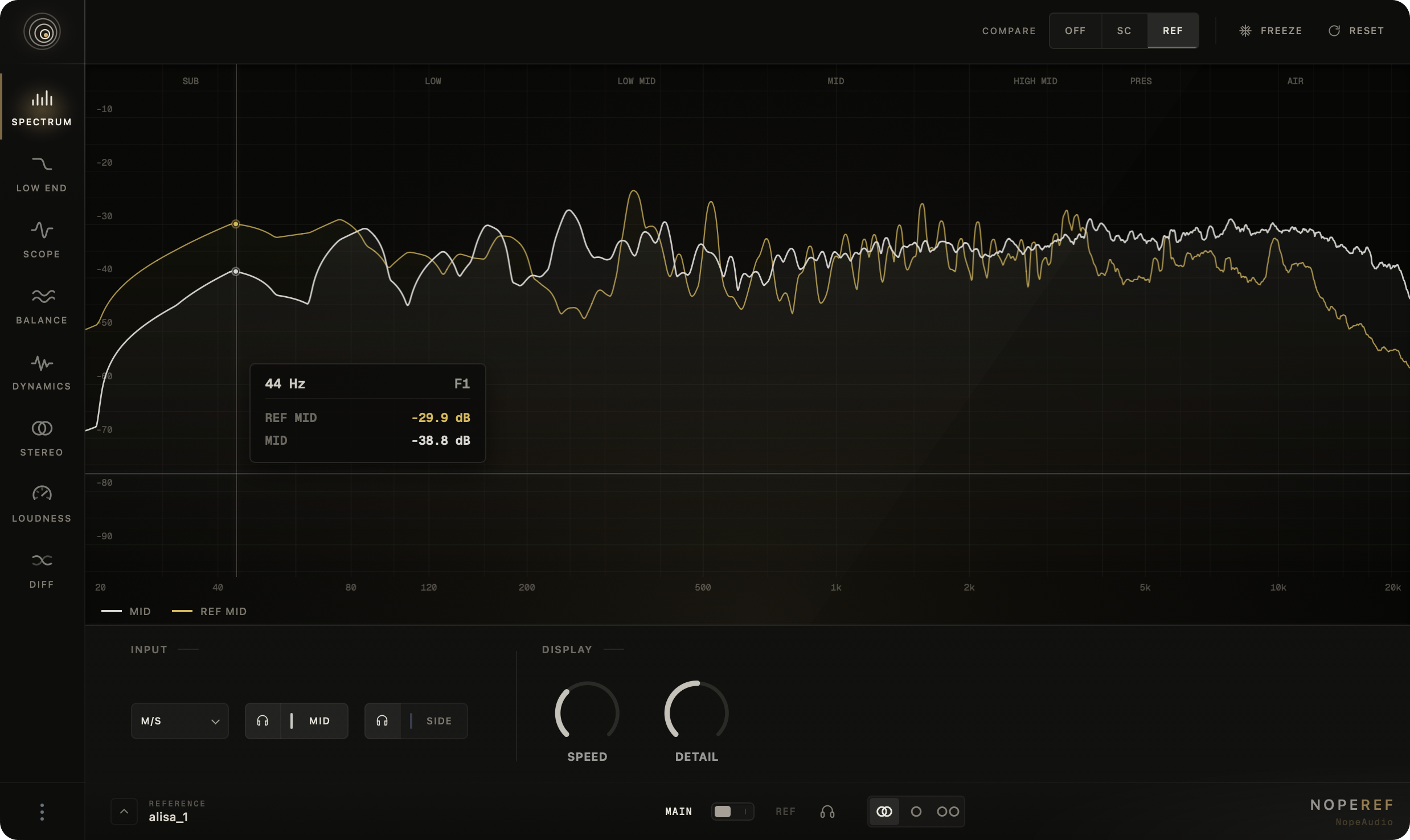
NopeRef Spectrum view
Stereo · L/R · M/S
Compare mix and reference as a whole, by channel or in mid/side — and listen to each part on its own.
Band · frequency · Q
Solo a broad band or an exact frequency and adjust the listening width.
Speed · Detail
Tune the graph’s response and resolution to the material.

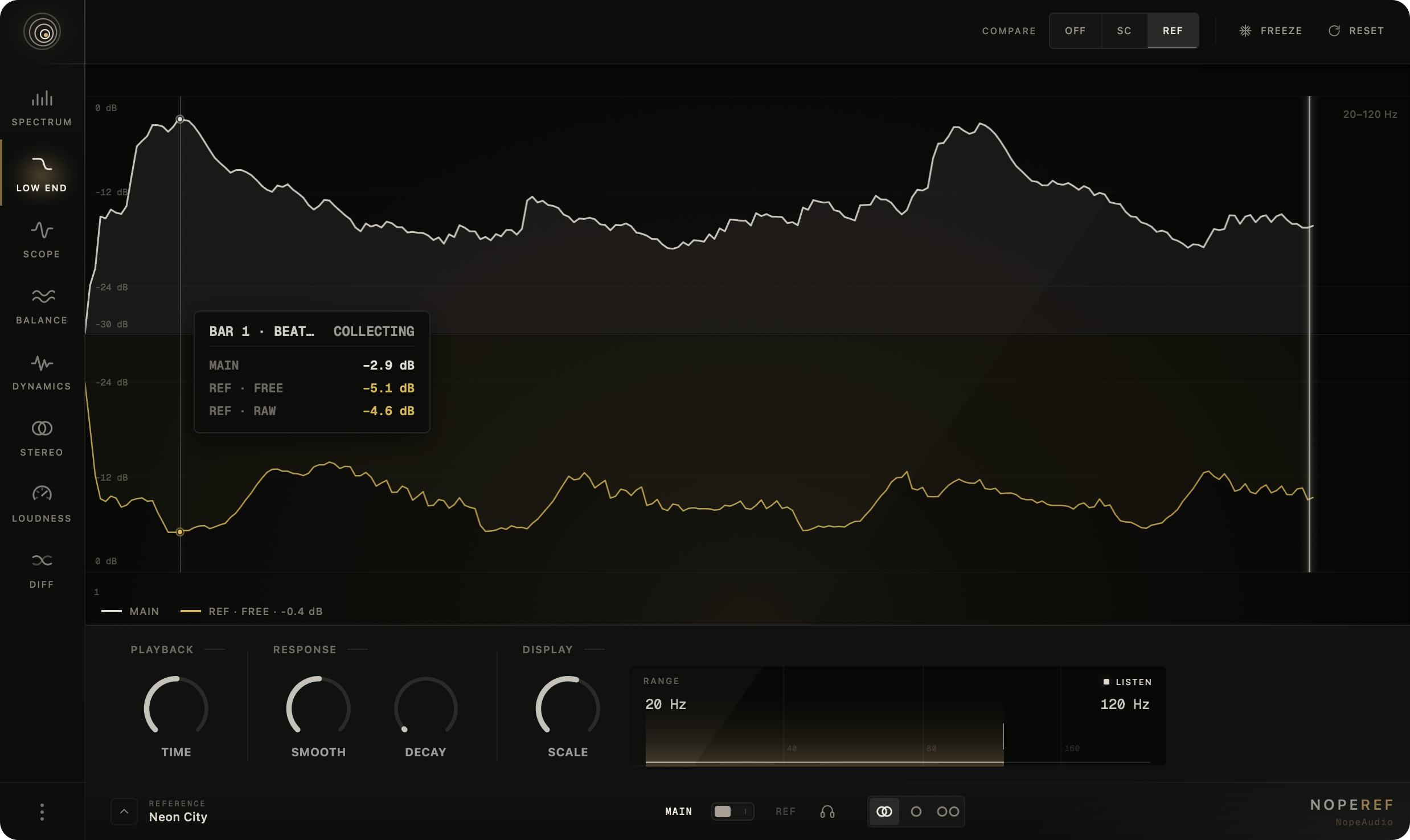
02 / 08Check that the low end hits and decays evenly bar after bar, and that the bass makes room for the kick.

Low end

NopeRef Low End view
SC · Ref
Lay the sidechained kick over the bass and see whether the bass makes room — or compare the low end with the reference.
Time · Decay
The envelope folds over musical bars and the previous pass stays as a trace, so uneven repeats stand out.
Range · Listen
Set the upper edge from 40 to 250 Hz and listen to that band alone.

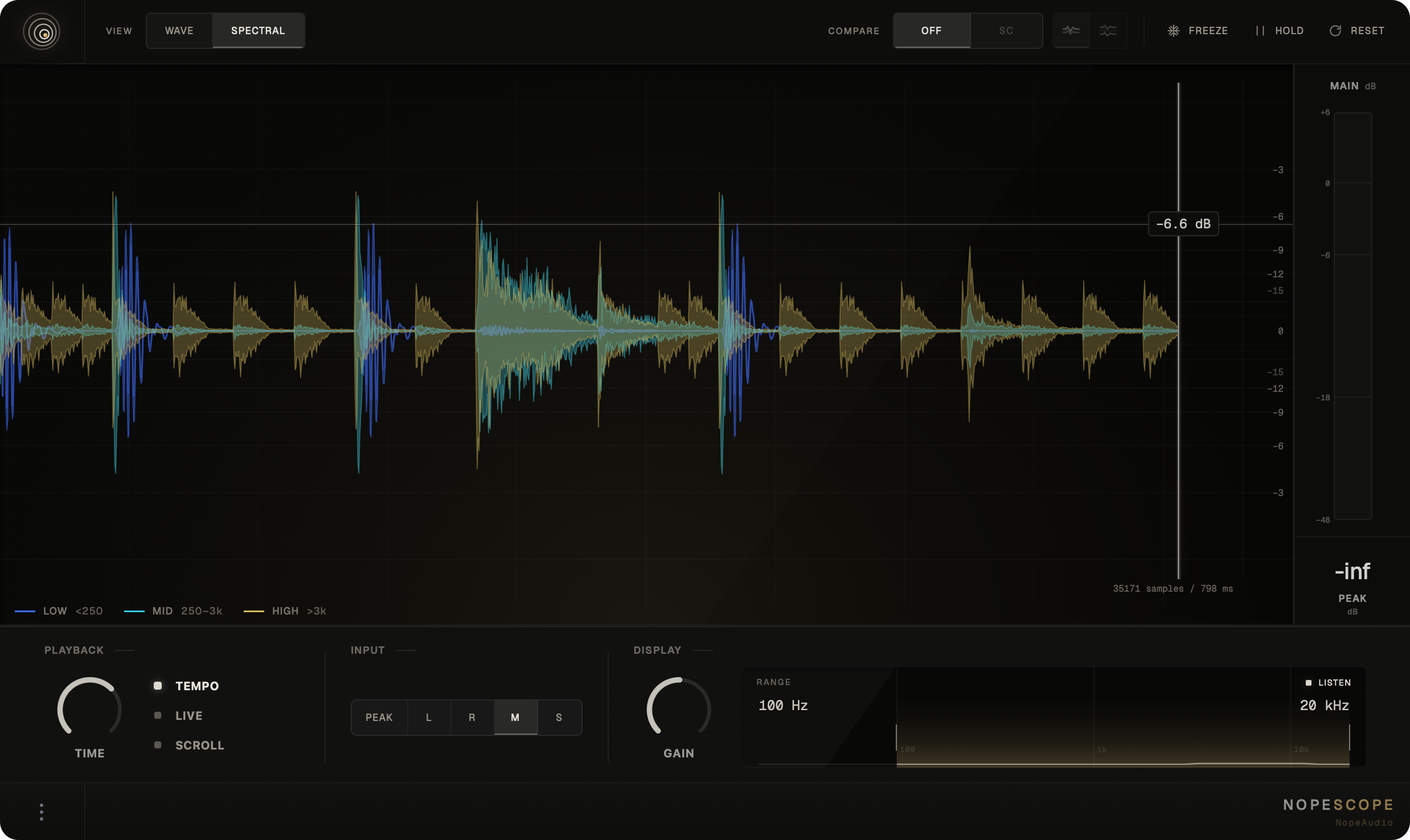
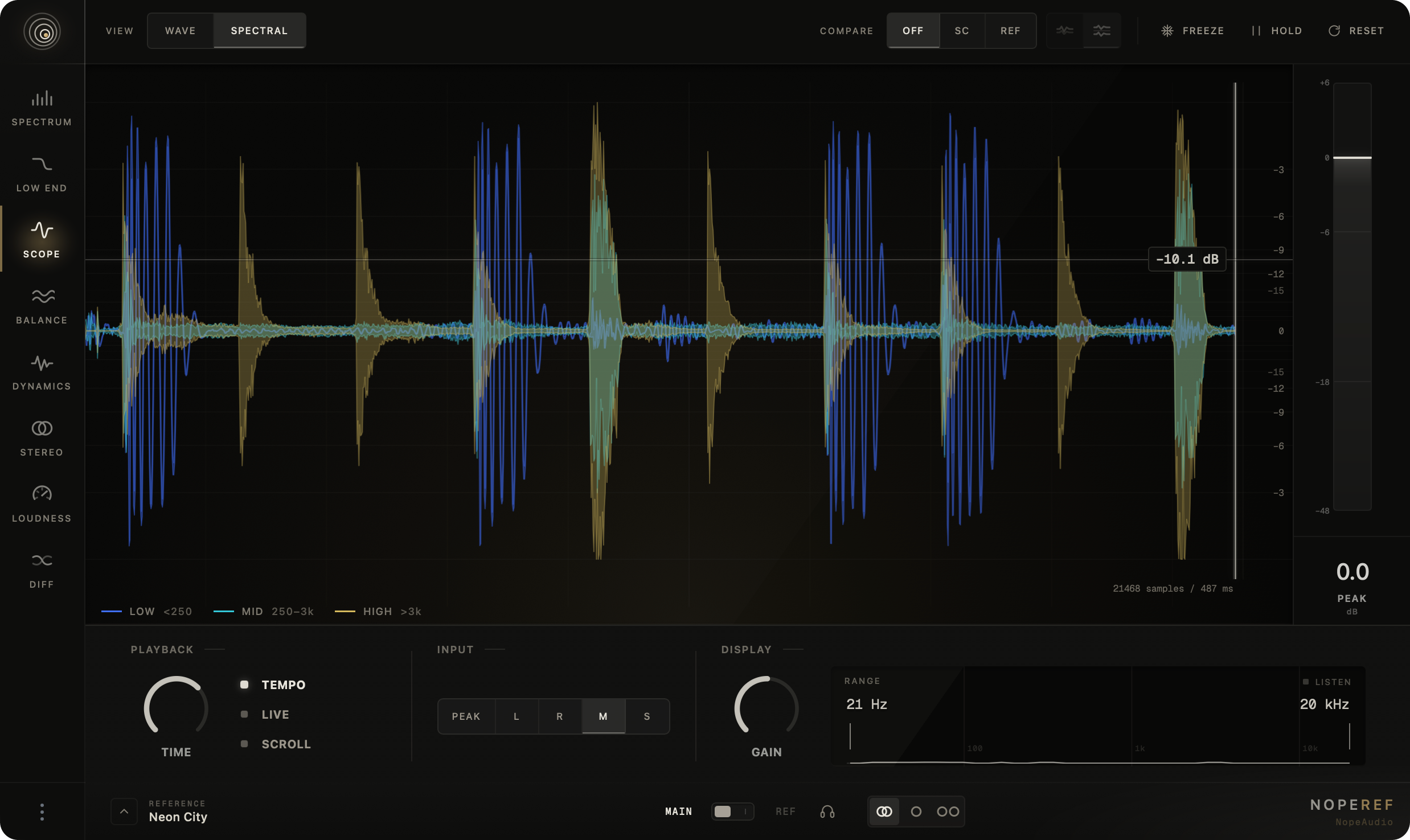
03 / 08Inspect waveform shape, timing and frequency-layered transients.

Scope

NopeRef Scope view
Wave · Spectral
Switch between waveform and low, mid and high time layers.
Overlay · Split · Hold
Compare your mix with the sidechain, the reference or the previous pass on one time axis.
Zoom · Range · Listen
Pan through detail, isolate a frequency range and audition it directly.

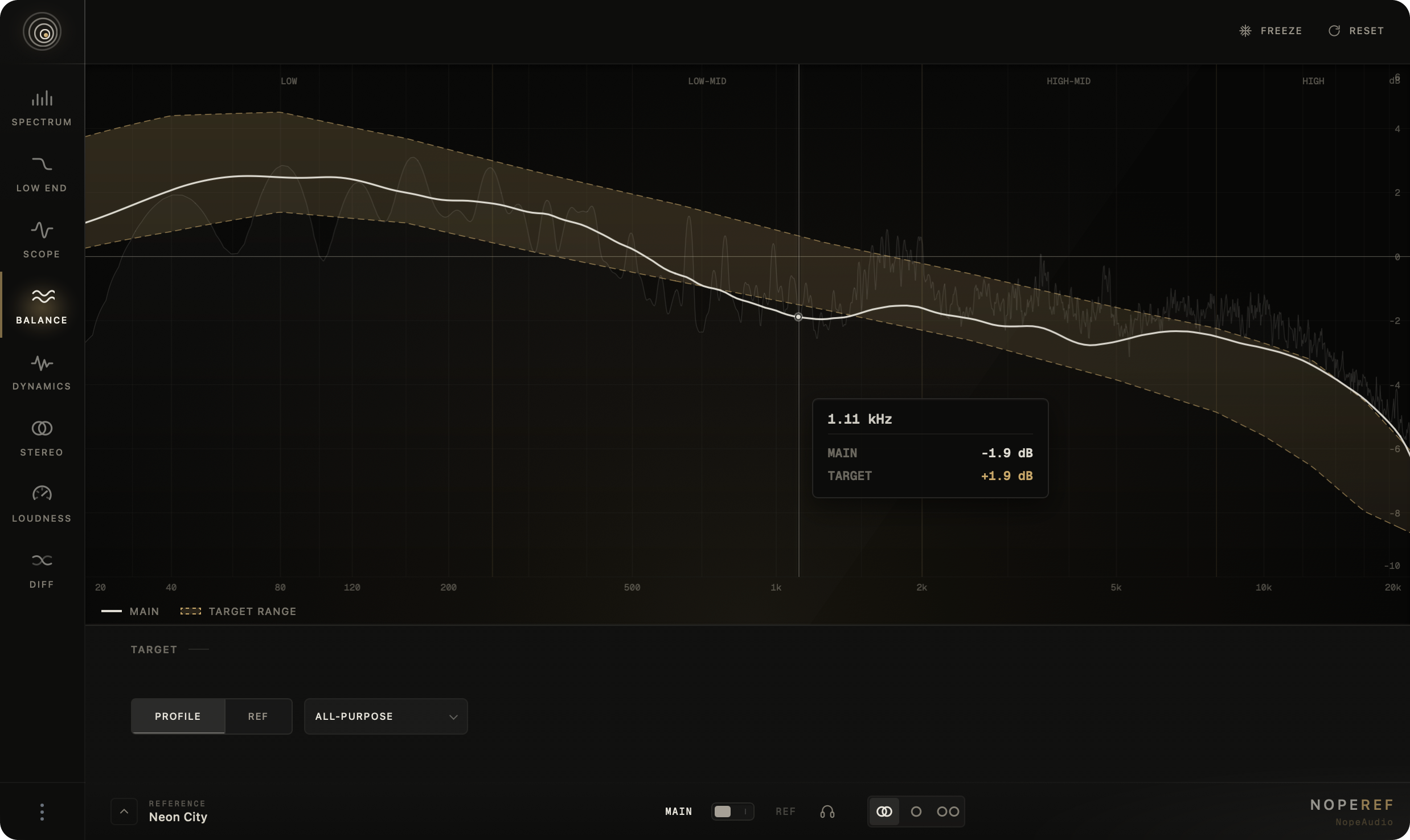
04 / 08See whether lows, mids and highs sit above or below a useful target without chasing narrow peaks.

Balance

NopeRef Balance view
Profile · Reference
Choose one of four tonal profiles or your selected reference section.
Target corridor
Judge the mix against a range, not one rigid curve.
Inspector & audition
Find excess or missing tone, then verify it by ear.

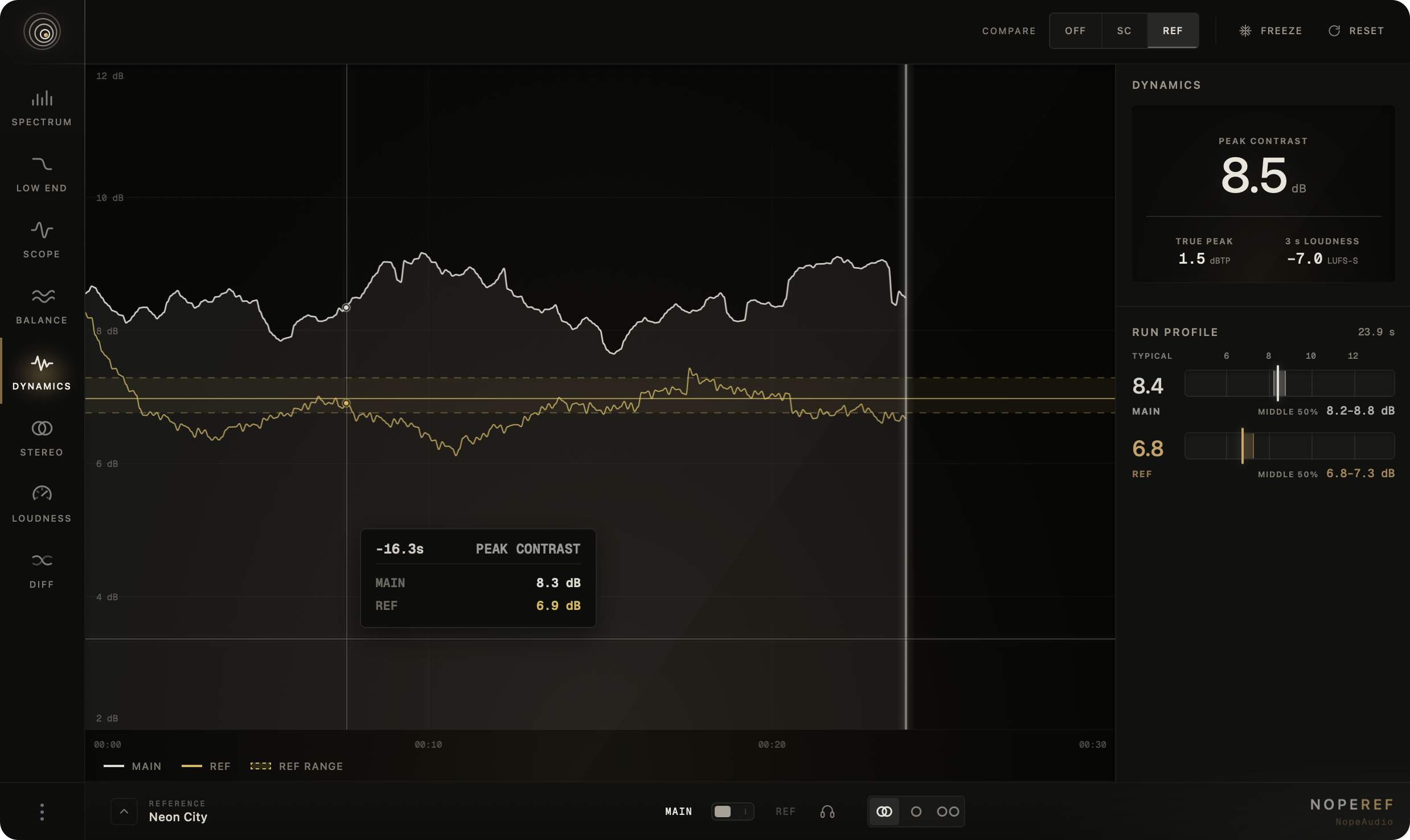
05 / 08Shows how far peaks rise above short-term loudness: the bigger the gap, the more punch in the mix.

Dynamics

NopeRef Dynamics view
3-second peak contrast
See how punch and density change as the track plays.
30-second history
Your mix and the sidechain on the same timeline.
Run · Reference profiles
The typical value and middle 50% instead of a single moment.

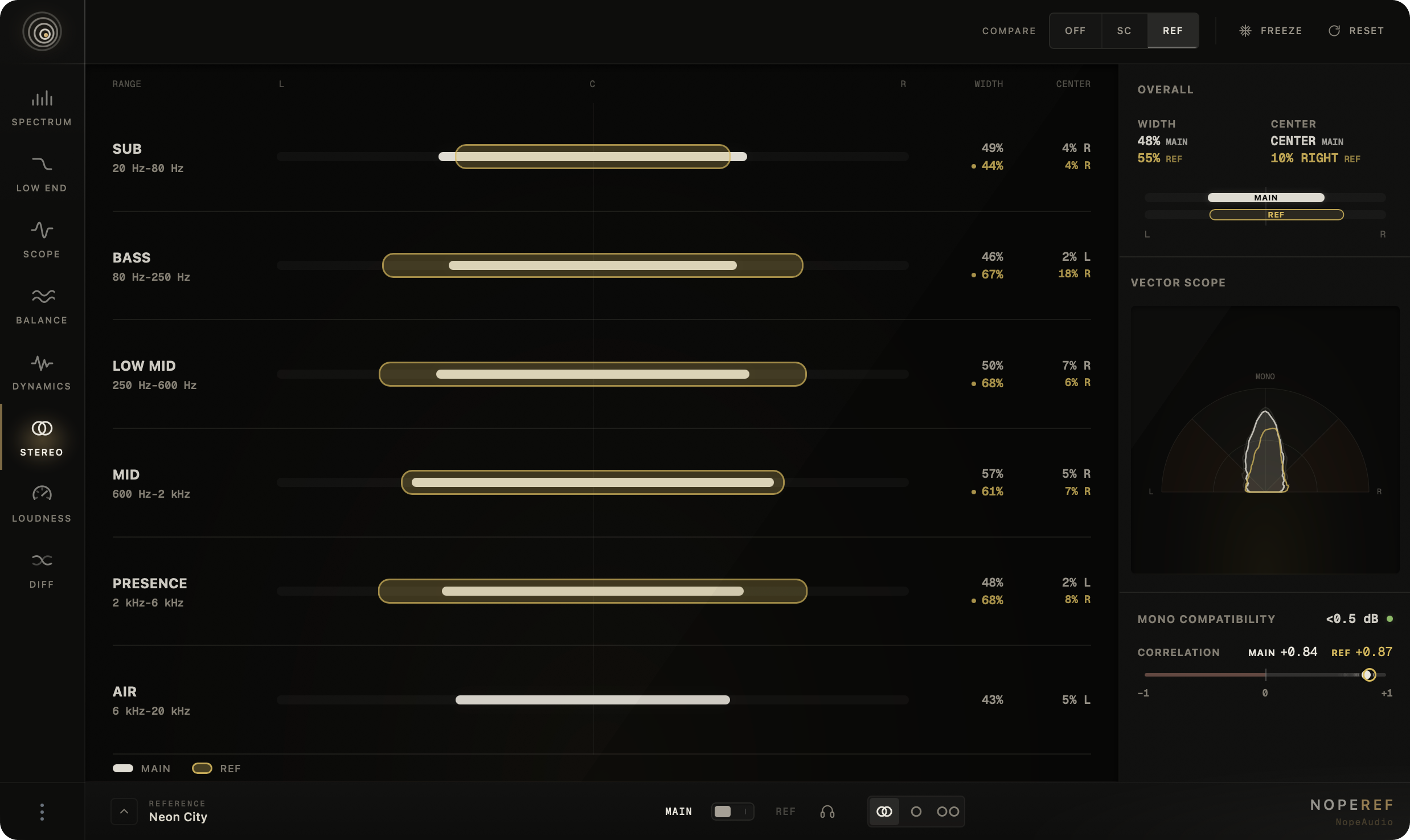
06 / 08See where the stereo image sits, spreads and loses level in mono.

Stereo

NopeRef Stereo view
Six frequency ranges
Read width and center from sub to air.
Vector · Correlation
Follow image shape and phase relationship live.
Mono loss · Band solo
Find and audition the range causing cancellation.

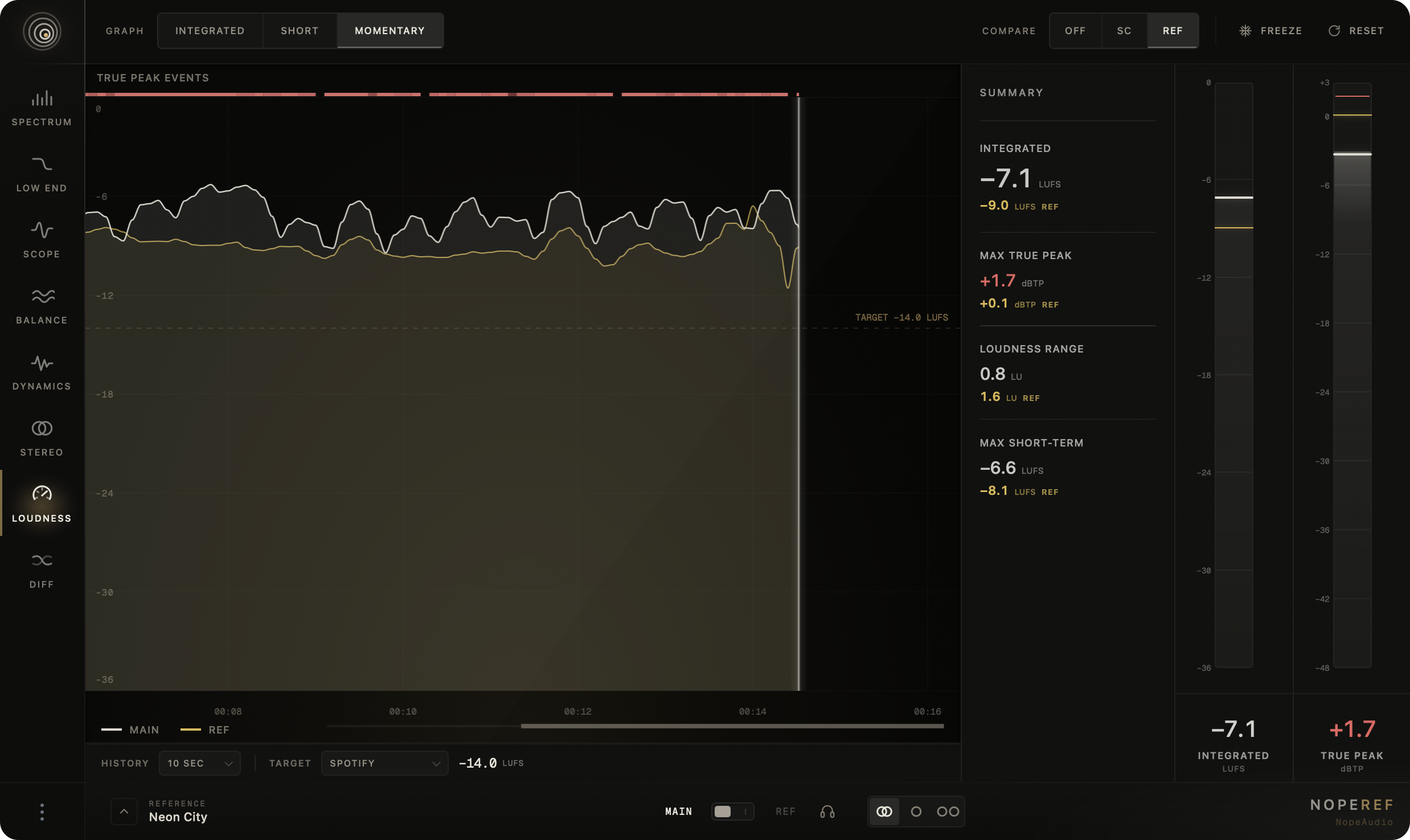
07 / 08Measure loudness, true peak and level history in one view.

Loudness

NopeRef Loudness view
M · S · I · LRA
Momentary, short-term and integrated loudness, plus loudness range.
True peak · L/R
Catch channel-specific peaks and retained maxima.
10 s–10 min history
Trace LUFS over time and compare sources.

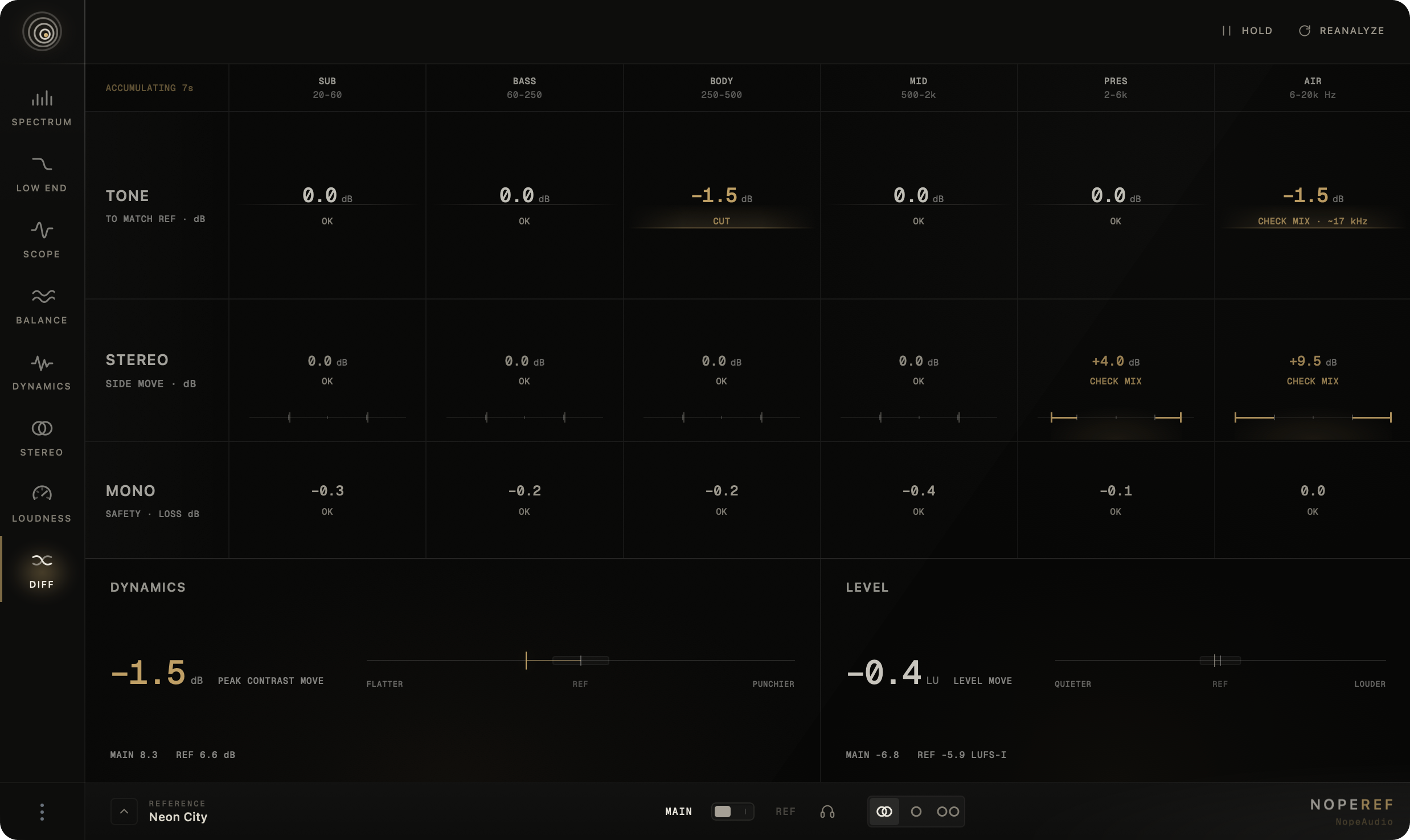
08 / 08See where your mix persistently differs from the reference in tone, stereo, dynamics and level.

Diff

NopeRef Diff view
Tone · six bands
Locate the frequency ranges that are above, below or inside the reference.
Stereo · Mono
Compare side energy with the reference and see which bands risk losing level in mono.
Dynamics · Level
Compare punch and density alongside integrated loudness.
System and hosts

Works in your DAW.

VST3 and AU on macOS, VST3 on Windows. No iLok, no dongle.

macOS

SystemmacOS 11 or later
ProcessorApple Silicon · Intel
FormatsVST3 · AU

Windows

SystemWindows 10 or 11, 64-bit
ProcessorIntel · AMD
FormatsVST3
Ableton Live
FL Studio
Logic Pro
Cubase / Nuendo
Fender Studio Pro
REAPER
Bitwig Studio

Also works in other VST3 and AU hosts · Minimum screen 1280 × 800

Hear it in your own session

Try before you buy.

The full version for three days, no card required.

Get NopeRef

A perpetual license.

Regular price $99

Now $49

−51% launch price

  • No subscription
  • macOS and Windows
  • Up to three computers
  • No iLok

No card needed for the trial · VST3 and AU

Before you install

Short answers.

How does the trial work?

Three days of full access to everything NopeRef can do. Activation requires an internet connection.

Does NopeRef affect the sound of my mix?

No. NopeRef does not process audio or add latency. The reference, mono and band listening affect monitoring only — your mix renders unchanged.

Which reference files are supported?

WAV, AIFF, FLAC, MP3, M4A and OGG. You can save up to six sections per track.

How many computers can I use?

Three at a time. To move your license, deactivate it in the plug-in on the old computer.

Is an internet connection required?

Only to activate or deactivate your license. Otherwise NopeRef works offline.

Do you offer refunds?

Yes, within 14 days of purchase. Contact support@nopeaudio.com.

Is VST2 supported?

No. NopeRef is available as VST3 on macOS and Windows and as Audio Units on macOS.

Where can I find my license key?

In your account, under Licenses. License keys are not sent by email.